What is project management?
According to Wikipedia: “A project is a temporary undertaking intended to create a unique product, service or result.” (Source: https://hu.wikipedia.org/wiki/Projekt) The same page identifies three main characteristics of projects: they are temporary, unique and progressively elaborated. In other words, a project is any sequence of activities that is not an ongoing part of an organization's operations, but instead runs for a defined period and achieves specific objectives, such as developing a product or creating a new service. Once the objective has been achieved, the project ends, and often even the team assembled for it disbands. Building a house is a simple example of a project. As with any other project, certain conditions must be met for it to succeed. The “project manager”—in this case, the contractor—is responsible for ensuring that all these conditions are fulfilled; otherwise, the project will not be successful. In this case, the end of the project is clear: once all work has been completed and the house is ready for turnkey handover, the project ends.

What is workflow?
The terminology borrowed from English is somewhat misleading here and less clear-cut than in the case of projects. In English, the terms “workflow” and “business process” overlap considerably. In Hungarian, however, “business process” refers to the business process itself, while “workflow” is used as a collective term for the IT systems that manage business processes. In this context, workflow is an IT tool—software—that allows us to manage our business processes. Unlike projects, business processes are recurring sequences of activities comprising multiple steps that form an ongoing part of a company's day-to-day operations. Business processes can also be broken down into steps—in this respect, they resemble projects—and a workflow system manages these steps and activities. Examples include invoice processing, mailing, document registration, contract preparation, complaint handling and sales processes.
What is the difference?
To summarize, the following factors determine the difference between workflows and projects: ● Is the activity ongoing or occasional? ● Are particular tasks always performed by the same colleagues, or are different colleagues assigned to them temporarily? ● Does a specific objective need to be achieved by a set date, or is the company's work characterized by a set of recurring tasks? The earlier example of building a house also helps illustrate workflow—or process—management. Once the house has been built and the project has ended, various processes begin: paying utility and other bills, paying related taxes at regular intervals, routine cleaning, regular maintenance, ongoing garden care, periodic window cleaning and much more. Clearly, while the project comes to an end and delivers a result—the completed house—maintaining it requires ongoing, recurring activities. These can be viewed as processes, because as long as the house stands and we live in it, these activities never end. For example, after two years we cannot declare that the “electricity bill payment project” is complete and requires no further attention. Instead, we have to carry out the same activity every month, again and again.
What does this mean for a business?

We frequently encounter business leaders who say: “We do not need a workflow system. We manage our projects perfectly well and have all the tools we need.” It can then be challenging to explain that although the two may appear similar at first glance, their purpose and use are fundamentally different, and the different systems address different types of problems. As the previous example illustrates, processes—and often projects—are present in every area of life. Likewise, a company's day-to-day operations are built on processes, even if these have not been consciously identified or designed. Returning to the original question, if the goal is to manage a company's daily operations, routines and administration, workflow is the right solution. For managing projects, however, a project management tool should be selected—even though workflow may also be suitable for this purpose.
Planning and execution
Another important difference is that project management tools primarily focus on project planning and generally allow implementation steps to be tracked manually. By contrast, processes designed in a workflow system run immediately and automatically, and the system also checks whether each step is completed on time. Another key point is that users cannot make ad hoc changes to predefined processes and steps in a workflow system. Naturally, process owners with the appropriate permissions can modify processes, but deadlines cannot simply be adjusted retroactively when tasks fall behind schedule. In such cases, the workflow system seeks a solution within the predefined process, for example by escalating the issue or allocating more resources to the process, potentially automatically. A project management system allows planned and actual data to be compared, meaning that a missed deadline only becomes apparent after the fact, without triggering any predefined response.

Summary
In summary, although project management tools and workflow systems share certain similarities, there are more differences between them than may initially appear. Before implementation, it is advisable to plan which system will be used for which task, based on the nature of the work. The capabilities of each system must also be considered when making a choice, bearing in mind that workflow can replace project management tools in certain cases, but the reverse is not possible.
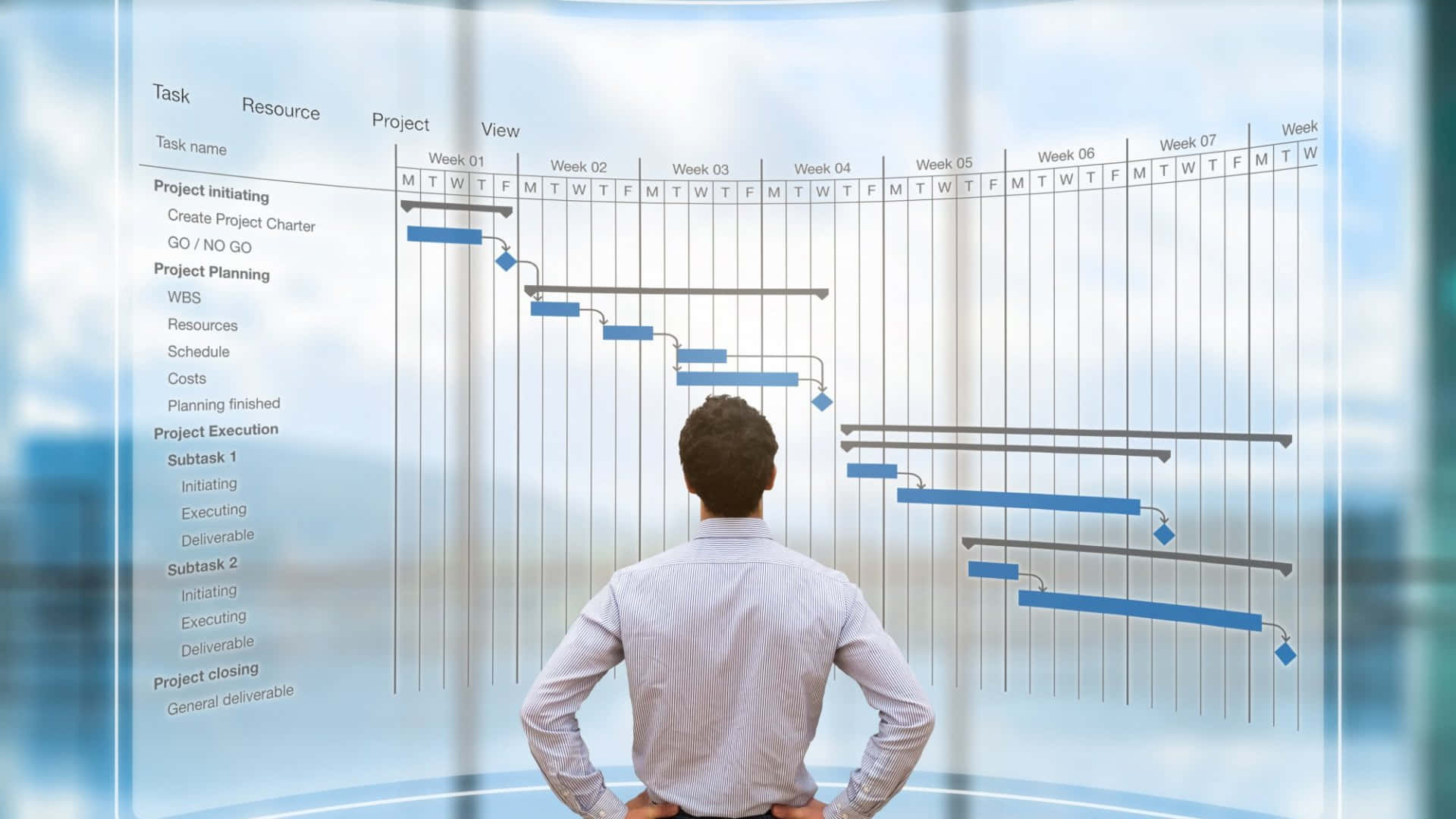
Project management – transparent planning and execution
Well-structured processes make individual projects fully traceable, as colleagues consistently follow predefined steps. Potential issues can be handled according to plan, helping avoid surprises.
READ MORE